Walkways should connect us.
Not hold us back.
Every day, students and staff use campus walkways to reach classrooms, libraries, and shared spaces. Cracked paving, raised tree roots, and standing water can make those journeys uncomfortable or unsafe, especially for people using wheelchairs, crutches, or other mobility aids.
SUPER FIX is a TSE100 Group 7 project at Thammasat University’s Rangsit campus. We bring a precise location, a description, and an optional photo together in one report, so the project team can understand what is wrong and where it needs attention.
What we aim to improve
Make reporting straightforward, help the team identify recurring hazards, and support more accessible routes between campus facilities. Small observations can help build a clearer picture of where improvements are needed.
This student project collects reports for review. It does not automatically notify university maintenance or guarantee a repair date.
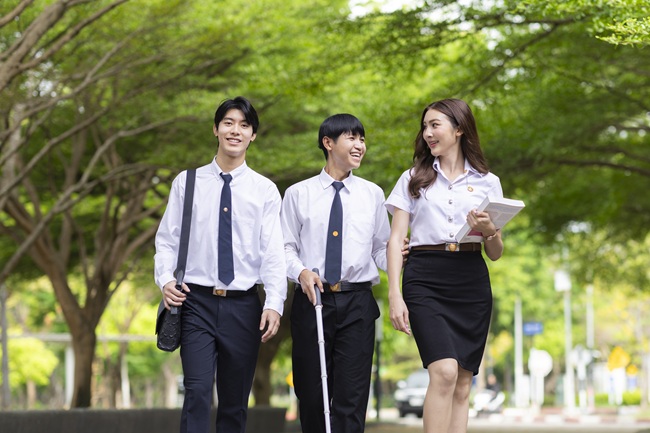
Better walkways. A more sustainable future.
& well-being6 Clean water
& sanitation9 Industry, innovation
& infrastructure11 Sustainable cities
& communities
A clear path, for everyone.
From the first photo to a safer walkway, every step starts with someone noticing.
Find it on the map ↗From a photo to a better path.
Scan the project QR code or open this website to begin.
Scan or open site
Find your building, then pin the exact damaged walkway.
Pin the location
Choose the issue type, describe the damage, and add a clear photo.
Add photo & details
Submit your report and keep the confirmation reference.
Submit report
The team reviews reports to support repairs with relevant staff.
Review & follow up
Report a walkway problem.
Import a pin from Google Maps
In Google Maps, press and hold the exact spot (or right-click on desktop). Copy the pin’s share link or its latitude and longitude, then paste it here.
After importing, check the pin on the map and adjust it if needed.
Loading campus places…
Tell us what needs fixing.
Your selected location is added automatically. A clear photo helps explain the problem.
Reports and photos can only be viewed by the project administrator. Submissions are not automatically sent to university staff.
Drop a pin on the map above to unlock your report.
Every submission is recorded in the project’s shared report sheet.